Summary
Microsoft is making a major change to how Windows 11 handles software updates. For the first time, users will be able to pause system updates forever by repeatedly extending a 35-day pause limit. This update aims to stop the computer from restarting at bad times, such as during an important work meeting or an intense gaming session. By giving users more control, Microsoft is addressing one of the most common complaints from its customers.
Main Impact
The biggest impact of this change is the end of "forced" updates that take over a user's computer. In the past, Windows would often insist on installing updates and restarting the machine after a certain period. This often happened when users were busy, leading to lost work or frustration. Now, the power is back in the hands of the person using the computer. While security is still a priority, the user gets to decide exactly when their machine takes a break to install new software.
Key Details
What Happened
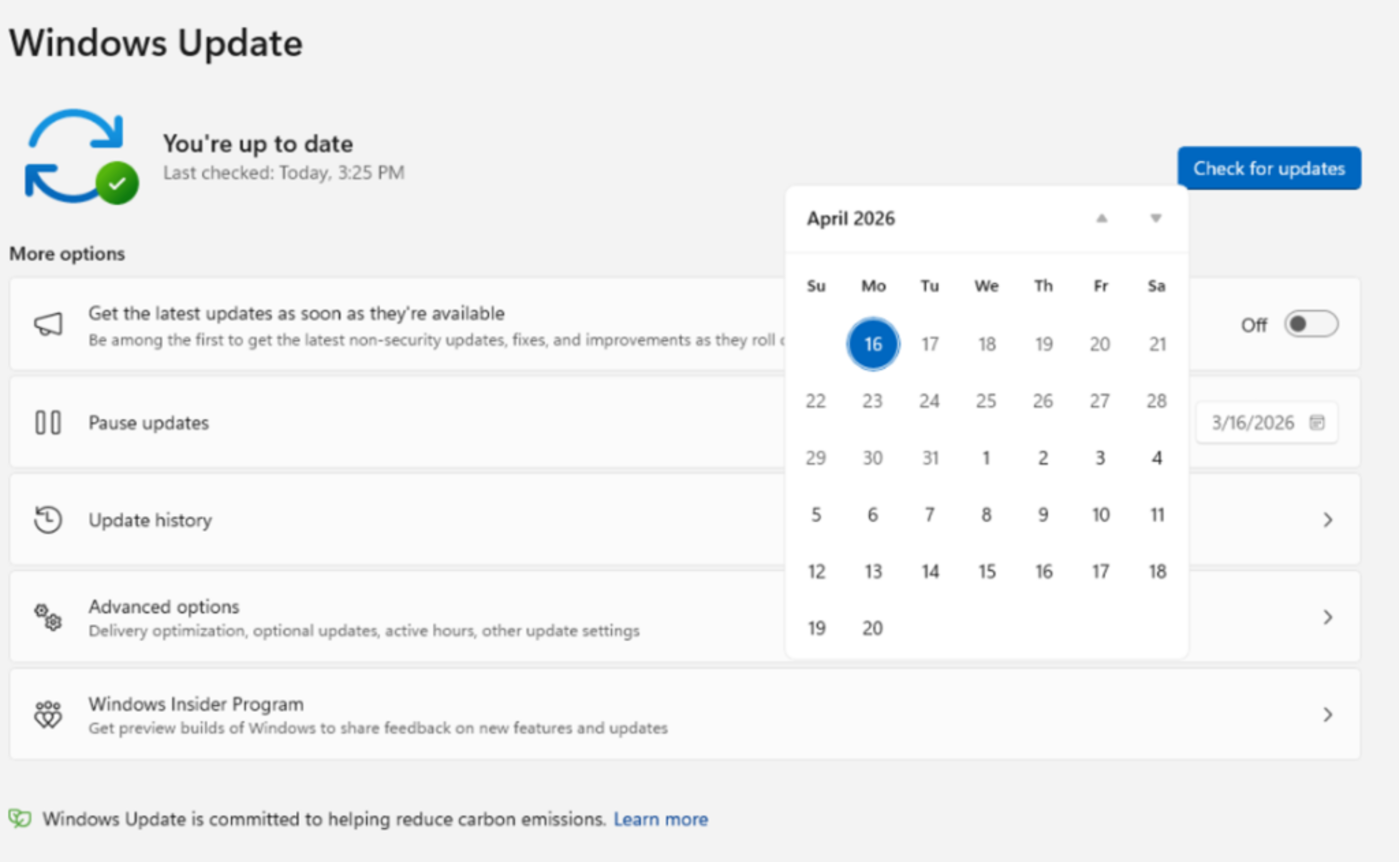
Microsoft announced these changes through an official blog post. The company explained that they have been listening to feedback from people who use Windows every day. Many people felt that the update process was too disruptive. To fix this, Microsoft is changing the rules for Windows Update. Users can now select an option to pause updates for 35 days. When that time is almost up, they can simply pause it again for another 35 days. This cycle can continue as long as the user wants.
Important Numbers and Facts
- The standard pause length is 35 days.
- Users can reset this 35-day timer as many times as they wish.
- The feature is currently available to people in the Windows Insider program.
- It is specifically being tested in the "Dev" and "Experimental" channels.
- Users can now choose to "Shut Down" or "Restart" without being forced to install updates first.
Background and Context
For many years, Windows updates have been a source of stress for PC users. Microsoft started forcing updates to ensure that all computers stayed safe from hackers and viruses. If a computer is not updated, it might have "holes" in its security that bad actors can use to steal data. Because many people would ignore update notifications for months, Microsoft made the process automatic.
However, this "forced" approach created new problems. Sometimes an update would start right in the middle of a presentation. Other times, an update might cause a bug that makes the computer stop working correctly. By allowing users to pause updates forever, Microsoft is moving away from a strict rule-based system to one that trusts the user to manage their own device.
Public or Industry Reaction
The reaction from the tech community has been mostly positive. Tech experts have long argued that users should have the final say over their hardware. Gamers, in particular, are happy because a sudden update can ruin an online match or cause a disconnect. Business professionals are also relieved that they will no longer face a "blue screen" update message right before a deadline.
Some security experts are a bit worried, though. They fear that if people never update their computers, the number of successful cyberattacks will go up. Microsoft is trying to balance this by making the updates easy to find but not mandatory to install at a specific second.
What This Means Going Forward
This change marks a shift in how Microsoft views its relationship with Windows users. It shows that the company is willing to prioritize user experience over strict security enforcement. In the coming months, after the testing phase is over, this feature will likely roll out to all Windows 11 users worldwide.
Users will need to be more responsible for their own digital safety. Since the computer will no longer force the latest security patches, people will need to remember to check for updates during their free time. Microsoft will likely continue to send gentle reminders, but the final "click" to start the update will be up to the person sitting at the desk.
Final Take
Giving users the ability to pause updates forever is a bold move that solves a decade-old frustration. It turns the computer back into a tool that serves the user, rather than a device that follows its own schedule. As long as people remember to update occasionally to stay safe, this change will make using Windows 11 a much smoother and less annoying experience for everyone.
Frequently Asked Questions
How long can I pause Windows 11 updates?
You can pause updates for 35 days at a time. However, you can now reset this timer as often as you like, which effectively allows you to pause them forever.
Can I still shut down my computer without updating?
Yes. Microsoft is adding an option that allows you to shut down or restart your PC normally, even if there is an update waiting to be installed.
Is it safe to never update my Windows computer?
It is not recommended to skip updates forever. Most updates include important security fixes that protect your personal information from hackers and malware.