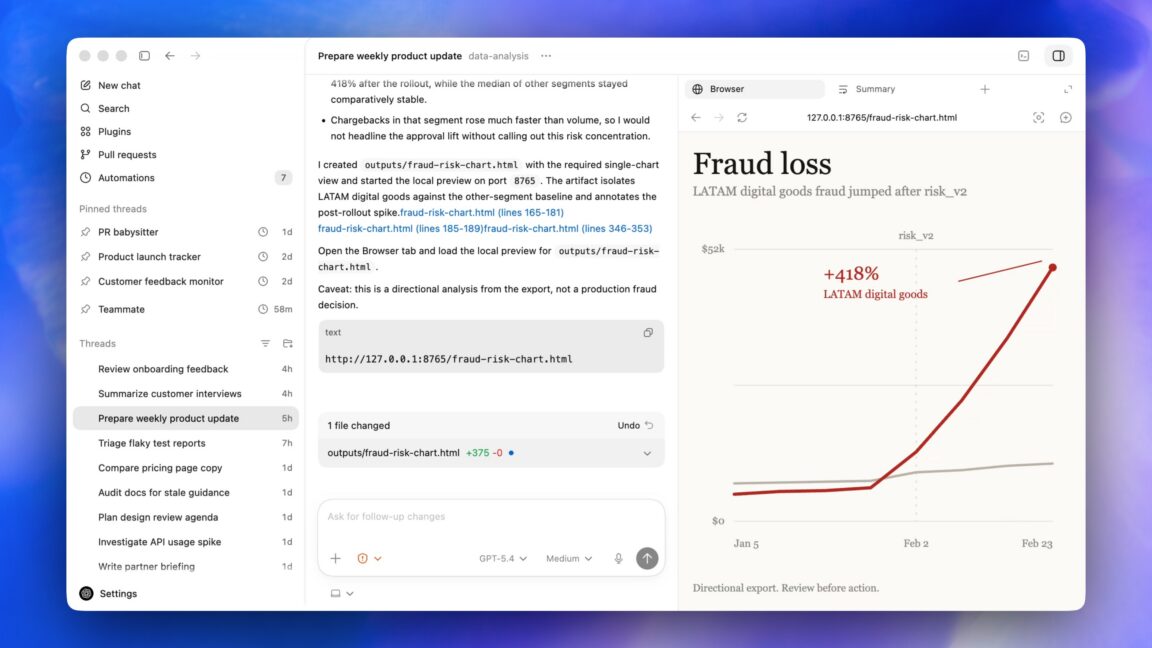
Summary
OpenAI has released a major update for its Codex desktop application today, April 16, 2026. The most significant new feature allows the AI to perform tasks on a computer in the background while the user continues their own work. This update marks a shift from a tool primarily for programmers to a broader assistant for all types of office and knowledge work. It is a key step in OpenAI’s plan to build a "super app" that handles many daily digital chores.
Main Impact
The biggest change in this update is the introduction of "background mode." In the past, using an AI tool often required the user to stop what they were doing to type prompts or wait for the software to finish a task. Now, Codex can manage files, enter data, or conduct research quietly in the background. This allows for a new level of multitasking where the human and the AI work on the same machine at the same time without getting in each other's way.
Key Details
What Happened
OpenAI pushed the latest version of the Codex desktop app to users, introducing several new capabilities. While Codex was originally designed to help software developers write code, this version focuses on "non-developer knowledge work." This means it is now built to help people who work with documents, spreadsheets, and general business data. The app can now interact with the computer's operating system more deeply than before.
Important Numbers and Facts
The update is being rolled out globally starting today. It includes a new interface designed to stay out of the way of other open windows. OpenAI stated that the background task feature uses a new method of system interaction that does not take control of the user's mouse or keyboard. This allows the AI to "click" buttons and move files in a virtual space while the physical screen remains free for the user.
Background and Context
Codex started as the engine behind tools that help people write computer programs. However, OpenAI found that the logic used to write code is also very useful for controlling software. If an AI can understand a programming language, it can also understand the menus and commands of a regular computer program. Over the last year, there has been a push in the tech industry to create "AI agents"—tools that don't just talk to you but actually do work for you. This update is OpenAI's latest move to turn that idea into a reality for everyday computer users.
Public or Industry Reaction
Tech experts are viewing this update as a direct challenge to traditional operating systems. By creating an app that can work in the background, OpenAI is making the AI feel like a part of the computer itself rather than just another website. Early feedback suggests that office workers are excited about the time-saving potential of background tasks. However, some privacy advocates have raised questions. They want to know how the AI decides which files to touch and how it keeps sensitive data safe while working without direct supervision. OpenAI has responded by saying the app includes clear logs so users can see exactly what the AI did while it was working in the background.
What This Means Going Forward
This update is a clear sign that OpenAI wants to move toward a "super app" model. Instead of opening ten different programs to get a job done, a user might eventually just tell Codex what the goal is. The AI would then open the necessary apps and finish the work in the background. This could change how people learn to use computers. Instead of learning how to use specific software, people might only need to learn how to give clear instructions to an AI assistant. The next few months will likely show how other tech companies respond to this move.
Final Take
OpenAI is changing the AI from a simple chatbot into a digital worker. By allowing Codex to operate in the background, the company is making AI more useful and less distracting. This update shows that the future of computing is not just about faster chips or better screens, but about software that can take over boring tasks so humans can focus on more important things. It is a major step toward a world where every computer comes with a built-in assistant that never needs a break.
Frequently Asked Questions
What is the new background task feature in Codex?
It is a new capability that allows the Codex desktop app to perform tasks like organizing files or data entry while you continue to use your computer for other things like video calls or writing.
Can people who are not programmers use the new Codex?
Yes. This update specifically expands Codex to help with general office work, such as research, document management, and data analysis, making it useful for everyone, not just developers.
What does OpenAI mean by a "super app"?
A super app is a single program that can perform many different types of work. OpenAI wants Codex to become a central tool that can control other apps and handle almost any digital task you give it.